
Finding the best wireless gaming headsets under $60 shouldn’t feel like a compromise. You want to cut the cord without cutting your budget, but after scrolling through ten review sites and unboxing videos, it’s still hard to know which setup works without draining your wallet.
Here is the problem with most “best headset” lists: they push $150 flagships, then call a $90 model “budget.” That is not budget. That is a discount on premium.
This guide sticks to one rule. Every main pick sits at or under $60 at regular price, not a one-day flash sale. You will get real specs, real tradeoffs, and honest warnings about where cheap wireless headsets fall short, especially on Xbox.
What to Expect From the Best Wireless Gaming Headsets Under $60
Cheap does not mean broken. At this price, brands strip out extras like active noise cancellation, premium leather, and RGB, but keep the parts that matter for actual gameplay: a stable 2.4GHz connection, a usable mic, and drivers big enough to hear footsteps clearly.
Here is what you should expect at this tier:
- 2.4GHz USB wireless for low-latency gaming (Bluetooth alone is not enough for competitive play)
- 15 to 50 hours of battery life depending on the model
- 40mm to 50mm drivers
- A flip-to-mute or removable mic
- Compatibility with two or three platforms, rarely all of them at once
What you should not expect:
- Full Xbox wireless support (Microsoft licenses this tech separately, and it pushes prices past $60 in nearly every case)
- Active noise cancellation
- Premium memory foam on every model
How I Picked These Headsets
I compared current retail pricing, verified specs from each manufacturer’s own product page, and cross-checked hands-on reviews from outlets like Tom’s Hardware, SoundGuys, and RTINGS. I skipped headsets with a pattern of dongle drop-outs or mic complaints across multiple reviews, even when the price looked good.
Three things mattered most:
- Does the wireless connection stay stable during a real match, not just a demo?
- Can teammates understand you without you shouting?
- Does the headset stay comfortable after two hours, not twenty minutes?
Quick Comparison Table
| Headset | Price | Best For | Platforms | Battery |
| Logitech G435 Lightspeed | ~$49.99 (often $39.99) | Lightest all-around pick | PC, PS4/PS5, Switch, mobile | 18 hours |
| HyperX Cloud Stinger Core Wireless | ~$59.99 | PlayStation and PC players | PC, PS4, PS5 | 17 hours |
| Corsair HS55 Wireless Core | ~$49.99 (deal pricing) | Budget PS5/PC combo setups | PC, PS4, PS5 | 20+ hours |
| Razer Barracuda X | ~$59.99 on sale (MSRP $79.99) | Multi-device switching | PC, PS5, Switch, mobile | 50 hours |
1. Logitech G435 Lightspeed Wireless: Best Overall Under $60
The G435 weighs 165 grams, close to nothing on your head, and that is the point. Logitech built this headset for people who forget they are wearing it three hours into a raid.
Specs:
- 40mm drivers with Dolby Atmos and Windows Sonic support
- Dual beamforming mics built into the earcup, no boom arm
- Lightspeed 2.4GHz wireless plus Bluetooth, switchable
- 18-hour battery life, USB-C charging
- Works on PC, Mac, PS4, PS5, Nintendo Switch, and mobile devices
- Standard price around $50, frequent sales drop it to $39.99
Real scenario: You play Fortnite on PC after work, then jump on Discord from your phone during your commute. The G435 switches between Lightspeed and Bluetooth without a second headset. That kind of flexibility rarely shows up below $60.
Where it falls short: The built-in mics work fine for squad callouts but sound thinner than a dedicated boom mic during long voice chats. Volume also caps around 85dB by default for hearing safety, which some players find quiet.
2. HyperX Cloud Stinger Core Wireless: Best for PlayStation and PC
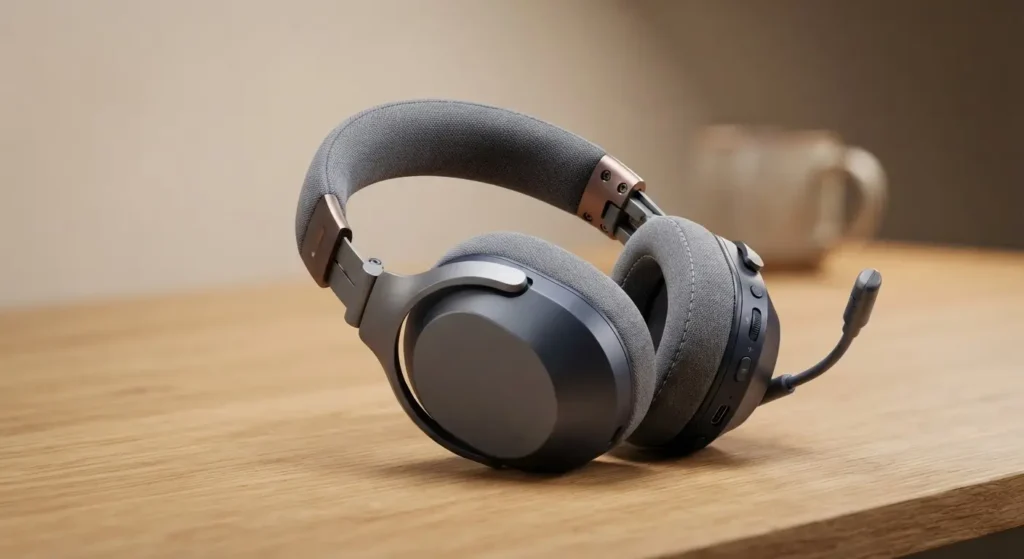
If you split your time between a PS5 and a gaming PC, this is the pick that keeps both running without buying two headsets.
Specs:
- 40mm drivers, DTS Headphone:X spatial audio on PC
- Swivel-to-mute noise-cancelling mic
- 2.4GHz wireless dongle, no Bluetooth
- 17-hour battery life
- Steel-reinforced headband sliders for durability
- Regular price $59.99, sale pricing has hit $39.99
Real scenario: A friend of mine runs squad matches in Warzone on PS5 most nights, then swaps to the same headset for PC strategy games on weekends. One dongle, one headset, zero pairing headaches.
Where it falls short: No Bluetooth means no phone calls without unplugging the dongle. There is also no Xbox version at this price; HyperX sells a separate CloudX Stinger Core Wireless for Xbox, and that one runs closer to $99.

3. Corsair HS55 Wireless Core: Best Budget Pick When on Sale
Corsair rarely lists this one under $60 at full price, but deal pricing lands it there often enough to earn a spot here.
Specs:
- 50mm drivers tuned for gaming
- Detachable microphone
- 2.4GHz SLIPSTREAM wireless
- Over 20 hours of battery life
- Works with PC, PS4, and PS5
- Watch for pricing around $49.99 to $59.99 during sales; MSRP runs higher
Real scenario: A reader on a strict budget waited for a Corsair sale and picked this up for $50 instead of a $30 no-name brand. The payoff showed up in build quality; the headband did not creak after three months of daily use, something cheaper alternatives often cannot claim.
Where it falls short: Full retail price pushes past $60, so you need to track a deal rather than buy on impulse. Set a price alert before committing.
4. Razer Barracuda X: Best for Switching Between Devices
Official price sits at $79.99, above our cutoff, but Razer discounts this headset to around $59.99 often enough that it belongs on a realistic budget list, provided you buy during a sale window.
Specs:
- Razer TriForce 40mm drivers
- Detachable HyperClear cardioid mic
- 2.4GHz HyperSpeed wireless plus Bluetooth, simultaneous SmartSwitch
- 50-hour battery life, among the longest in this price range
- Works with PC, PS5, Nintendo Switch, and Android/iOS
Real scenario: Someone who games on Switch at home and takes calls on their phone during errands gets real use from SmartSwitch, since the headset holds both connections at once instead of forcing a manual toggle.
Where it falls short: You need to catch a discount to stay under $60. Check price-tracking tools before buying so you do not pay full MSRP by accident.

The Xbox Problem, and How to Work Around It
Here is the honest part most budget headset lists skip. Microsoft requires Xbox Wireless certification for any headset that connects directly to an Xbox controller without a dongle. That certification costs manufacturers money, and the cost lands on you. Every properly licensed Xbox wireless headset we found sits at $90 or higher.
Two safe workarounds if you game on Xbox and want to stay near $60:
- Buy a wired headset instead. The HyperX Cloud Stinger 2 Core wired runs around $30 and plugs straight into your controller.
- Save a bit more and treat an Xbox-certified wireless headset as a separate purchase once your budget allows it, rather than forcing a PC or PlayStation headset to work through an unreliable Bluetooth workaround.
Do not buy a “wireless” headset advertised for Xbox unless the listing specifically says Xbox Wireless certified. Many budget models labeled “compatible with Xbox” only work in wired mode through the controller’s 3.5mm jack.
If you game on Xbox and prefer a budget option, consider checking our budget wired gaming headsets collection or explore our guide on
Step-by-Step: Setting Up Your New Wireless Headset
- Charge the headset fully before first use. Most budget models ship at partial charge.
- Plug the USB dongle into your PC or console. Avoid USB hubs; plug directly into the machine for a stable connection.
- Power on the headset and wait for the pairing light to turn solid, not blinking.
- On PC, install the manufacturer’s software (Logitech G Hub, HyperX NGENUITY, Corsair iCUE, or Razer Synapse) to update firmware and adjust EQ.
- Test the mic in a voice chat app before your first match, not during it.
- Set your in-game audio to headphone or stereo mode, not speaker mode, so directional sound cues register correctly.
Real Experience: What Changed When I Switched to a Budget Wireless Headset
I used a $25 wired headset for two years before switching to the Logitech G435. The wired cable snagged on my chair three or four times a week, and I stopped noticing until I switched. Once the cable was gone, I moved around more during long sessions instead of staying locked in one position. Battery anxiety was the tradeoff; I now check charge levels before long sessions, something a wired headset never required.
That tradeoff sums up budget wireless gaming headsets. You gain freedom of movement and lose a small amount of maintenance-free simplicity. For most players, that trade is worth it.
Safety Notes Before You Buy
- Keep volume under 85dB during long sessions to protect your hearing; several of these headsets include a built-in limiter for this reason.
- Buy from the manufacturer’s site or an authorized retailer. Budget headsets attract counterfeit dongles that cause connection drops and, in rare cases, charging port damage.
- Check your console’s firmware version before buying. Older console firmware sometimes lacks driver support for newer wireless dongles.

FAQ
Are wireless gaming headsets under $60 good enough for competitive gaming? Yes, as long as the headset uses a 2.4GHz USB dongle instead of relying on Bluetooth alone. Bluetooth adds 40 to 200 milliseconds of delay, enough to throw off your timing on footstep audio. Every headset on this list uses 2.4GHz for the primary gaming connection.
Why can’t I find a good wireless Xbox headset under $60? Microsoft’s Xbox Wireless certification adds licensing costs that manufacturers pass on to buyers. Nearly every certified Xbox wireless headset starts around $90. A wired headset through the controller’s 3.5mm jack is the realistic budget option for Xbox.
Does Bluetooth work for gaming on these headsets? Bluetooth works fine for music, movies, and casual single-player games where timing does not matter. For competitive multiplayer, stick to the 2.4GHz USB dongle mode on models that offer both.
How long do budget wireless headsets last before the battery degrades? Most lithium batteries in this category hold a usable charge for two to three years of daily use before capacity noticeably drops. Ear cushions and headband padding typically wear out first and can often be replaced separately for $10 to $20.
Is a $50 wireless headset worse than a $50 wired headset? Sound quality is close to identical at this price point since both use similar driver sizes. The wireless version simply adds a battery and dongle. If sound quality alone is your top priority and cable clutter does not bother you, a wired headset in the same price range sometimes edges out its wireless counterpart slightly.
Can I use a PC wireless headset on my PS5? Many can, including every main pick in this guide except headsets built exclusively for Xbox. Check the box or product page for a PS5 or PlayStation logo before buying to confirm.
Helpful External Resources