
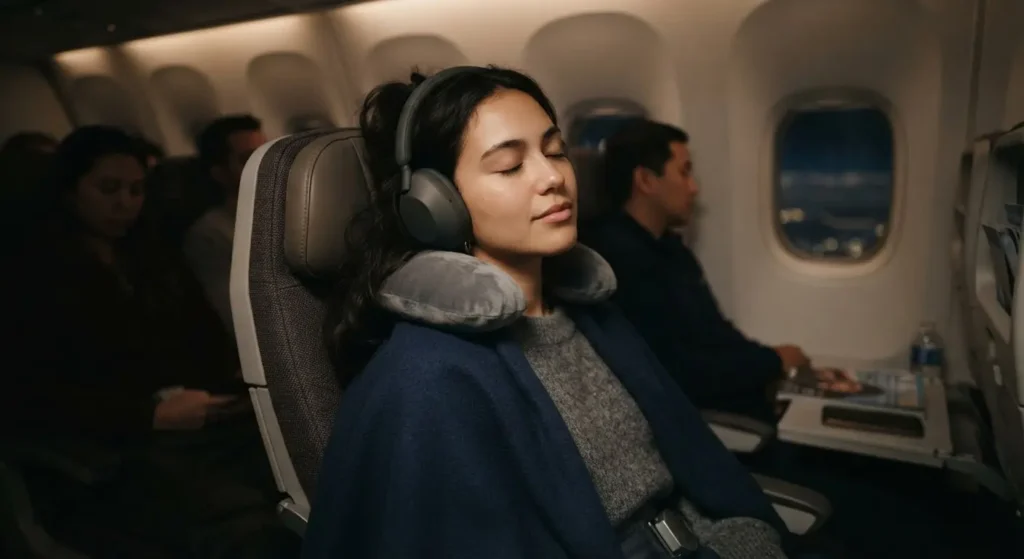
Learning how to set up noise cancelling headphones for maximum effect starts with understanding that getting true quiet isn’t just about buying the right hardware. You bought noise cancelling headphones because you wanted quiet, but instead, you still hear the hum of your fridge, the guy on the train next to you, or the fan in your office. That gap between what the box promised and what you actually hear usually comes down to proper setup, not defective hardware.
Noise cancelling headphones need a proper fit, the right settings, and a few adjustments in the app before they perform the way the manufacturer showed in the ad. This guide walks you through every step, from the first fit check to the app settings most people skip.
Why Setting Up Noise Cancelling Headphones for Maximum Effect Matters
Active noise cancellation (ANC) works by using microphones to pick up outside sound and generating an inverse wave to cancel it out. This process depends on a tight seal around or inside your ear. If the seal breaks, even by a few millimeters, cancellation drops fast.
Three things ruin most setups:
- A loose or wrong-size ear tip or cushion
- Outdated firmware that skips performance fixes
- Default app settings that were never adjusted for your environment
Fix these three and your headphones will do most of the work the manufacturer designed them to do.
Step 1: Charge Fully and Update the Firmware
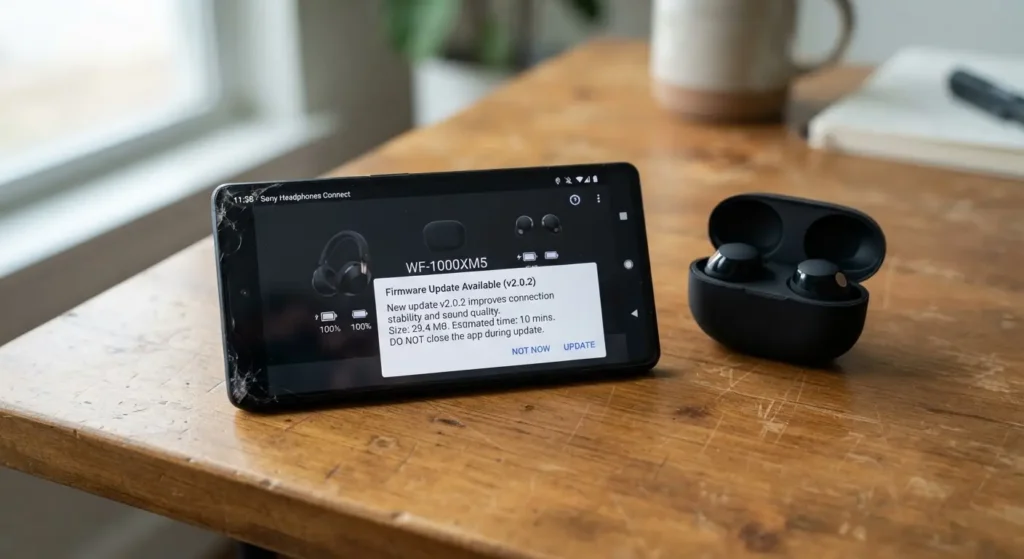
Do this before anything else. ANC processors need stable power. A headphone running low on battery often reduces cancellation strength to save energy, and you will not get a warning about it.
- Charge the headphones to 100 percent.
- Download the manufacturer’s app (Sony Headphones Connect, Bose Music, Apple’s Settings app for AirPods, and so on).
- Check for a firmware update and install it. Firmware updates frequently improve ANC algorithms, not just fix bugs.
Step 2: Get the Fit Right
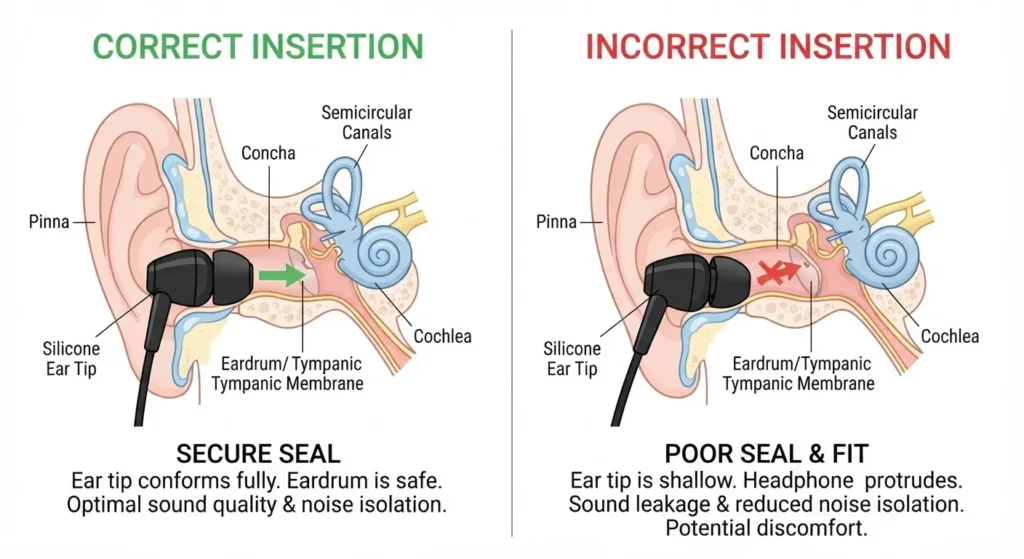
This step matters more than any software setting. A poor seal is the number one reason ANC feels weak.
For over-ear headphones:
- Adjust the headband so the cups sit flat against your head with no gap.
- Push the cups forward and back slightly until the cushion seals fully around your ear, not on top of it.
- Remove glasses if the arms break the seal along the cushion. Thin-frame glasses cause less leakage than thick ones.
For in-ear headphones:
- Try every tip size in the box. Most brands include three to five sizes.
- Insert the tip, then gently twist and pull down on your ear to straighten the canal, the same motion you would use for earplugs.
- Do a seal check: cup your hand over the earbud for one second. If sound drops noticeably, the seal is working. If nothing changes, the tip is too small.
Real example: A commuter using Sony WH-1000XM5 headphones reported that switching from the default fit to a slightly tighter headband adjustment cut perceived subway rumble by half, without changing a single software setting. The hardware did not change. The seal did.
Step 3: Set ANC Mode Correctly in the App
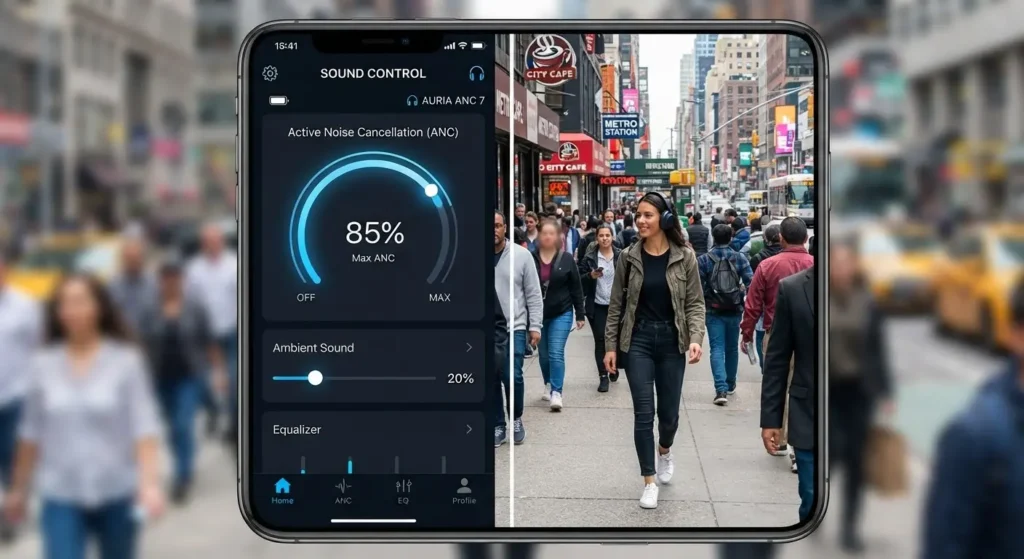
Most modern headphones offer more than an on/off switch. Open the companion app and look for these settings.
Adaptive vs. Fixed ANC
Adaptive ANC adjusts cancellation strength based on your surroundings in real time. Fixed or manual ANC lets you set one strength level yourself.
- Use adaptive mode for daily use in changing environments (walking outside, commuting, moving between rooms).
- Use a fixed high setting for consistent noise like a plane cabin or an office with a running air conditioner.
Wind Noise Reduction
If you use your headphones outdoors, turn on wind noise reduction if your model has it. Standard ANC can actually amplify wind noise because the microphones misread gusts as a signal to cancel, which creates a pulsing sound. Wind reduction mode changes how the microphones process that input.
Ambient Sound vs. Full ANC
Do not leave your headphones on a low or “balanced” ambient mode by default. Many headphones ship with a partial transparency setting active out of the box. Switch to full ANC manually when you want maximum noise reduction.
Step 4: Tune the EQ for Better Perceived Silence
This step surprises most people. Equalizer settings do not cancel noise directly, but they change how much noise you perceive once ANC is running.
- Reduce the bass boost slightly if your headphones are set to a “bass heavy” preset. Heavy bass can mask the fact that ANC is already handling low-frequency engine or fan noise, making the overall sound feel muddier and less controlled.
- If you listen to podcasts, calls, or spoken word content, a flat or slightly treble-forward EQ makes voices cut through remaining background hiss more clearly.
Step 5: Check Wear Detection and Auto-Pause Settings
Wear detection sensors pause your audio and ANC when you take a headphone off. On some models, this feature also affects how quickly ANC re-engages when you put the headphones back on. If your headphones feel slow to reach full cancellation after putting them on, check wear detection sensitivity in the app and adjust it if the option exists.
A Real Scenario: Setting Up Headphones for an Open Office
Here is a scenario many remote and hybrid workers deal with. You work from a shared office with a coffee machine, HVAC noise, and coworkers on calls near your desk.
- Fit check first. Reseat the ear cups or tips until the seal test passes.
- Set ANC to fixed high, not adaptive. Office noise is steady, so adaptive mode adds unnecessary processing and can introduce a faint hiss some users notice in fixed environments.
- Turn off wind reduction. It is not needed indoors and can slightly reduce cancellation strength on speech-range frequencies.
- Set EQ to flat. This keeps call audio and music clear without masking the remaining low hum from HVAC systems.
- Test with a 10-minute call. If coworker chatter still comes through clearly, the fit is the problem, not the ANC mode.
This sequence, fit first and software second, solves most complaints people bring to headphone support forums.
Common Mistakes That Reduce ANC Performance
- Wearing a hat or hood over the headphones, which changes the pressure seal
- Skipping firmware updates for months at a time
- Using third-party ear tips that do not match the original acoustic design
- Leaving Bluetooth codec settings on a low-bandwidth mode, which some app settings can affect indirectly through call quality features
Safety Note
Do not raise ANC strength or volume to mask sounds you need to hear for safety, such as traffic, alarms, or someone calling your name. If you are cycling, driving, or walking near roads, use transparency mode or take a headphone off entirely instead of increasing volume to compete with outside noise.

Frequently Asked Questions
Does ANC drain the battery faster? Yes. ANC processing uses continuous power for the microphones and processor chip. Expect noticeably shorter battery life with ANC on compared to ANC off, though the exact drop depends on the model.
Can I use ANC without playing any audio? Yes, on most modern headphones. ANC and audio playback run as separate systems, so you can wear silent headphones with cancellation active in a library or a shared workspace.
Why does ANC feel weaker after a software update? Some updates change default settings, resetting ANC mode to adaptive or balanced instead of your previous fixed high setting. Check your app settings after every update.
Do noise cancelling headphones work for high-pitched sounds like voices? ANC is most effective on low, steady frequencies like engine hum or HVAC noise. High-pitched or irregular sounds, such as speech, rely more on the physical seal (passive isolation) than on the active cancellation circuit.
Is it bad to wear ANC headphones all day? There is no established evidence that ANC itself harms hearing. The bigger risk is compensating for a poor seal by raising volume, which is a habit worth avoiding regardless of ANC.
Getting the Most Out of What You Already Own
Most noise cancelling headphones are not underperforming because of the hardware inside them. They are underperforming because of a loose seal, an outdated app setting, or a default EQ that was never touched. Run through the five steps above once, and check them again after every firmware update. That fifteen minutes of setup is usually the difference between headphones that sit in a drawer and headphones you actually reach for every day.
For more tips on maintaining your audio gear, browse our latest headphone care and setup guides.
Further Reading