
Finding the top audio gadgets for your home office setup can transform how you work and communicate. You are three minutes into a client call and they ask you to repeat yourself for the third time. Your dog barks. Your laptop mic picks up the dishwasher. You mute yourself, apologize, and lose your train of thought.
If that sounds familiar, you don’t have a communication problem. You have an audio problem.
Most people spend money on a bigger monitor or a faster laptop before they fix the one thing that decides how they sound in every meeting: their audio setup. A $2000 laptop with a built-in mic still sounds worse than a $70 USB microphone. That gap matters more in 2026 than it did a few years ago, because AI meeting assistants like Otter, Fireflies, and the built-in Zoom and Teams transcription tools now turn your voice into text automatically. Bad audio does not just sound unprofessional anymore. It produces a messy transcript that someone has to fix by hand.
This guide walks through the audio gadgets worth buying for a home office in 2026, why each one earns its place, and how to pick between them based on your actual workday instead of a spec sheet.
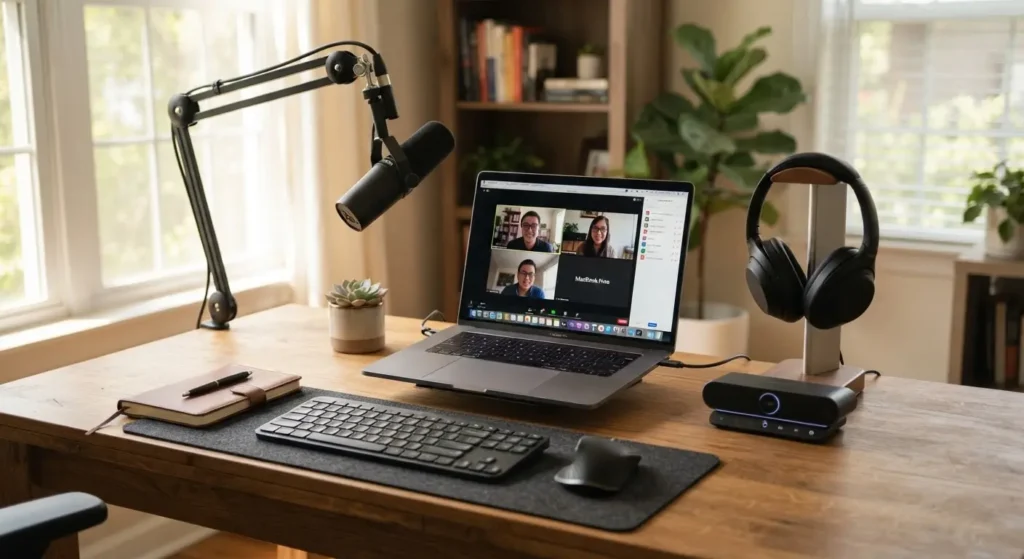
Why Your Home Office Audio Setup Matters More in 2026
Remote and hybrid work did not slow down. Video calls are still the default way most people talk to coworkers and clients. Three things changed the stakes for audio gear specifically.
First, AI transcription is everywhere. A directional microphone in a room with a rug and some curtains produces a transcript that needs almost no correction. A laptop mic in a bare room with an air conditioner running produces a transcript full of errors and missing words.
Second, hybrid schedules mean your gear travels between a home desk and a shared office. Gadgets that fold flat, connect with one cable, or run on battery got more popular because people actually move them.
Third, expectations went up. Clients and coworkers who have heard good audio notice bad audio immediately. A headset with a real microphone signals that you take the call seriously, the same way a tidy background does.
Step 1: Fix the Microphone First
Your microphone affects every call you make, so it is the highest-leverage purchase on this list. You have two real choices: a dedicated USB microphone, or a headset with a built-in boom mic.
Best USB Microphones for Home Office Calls in 2026
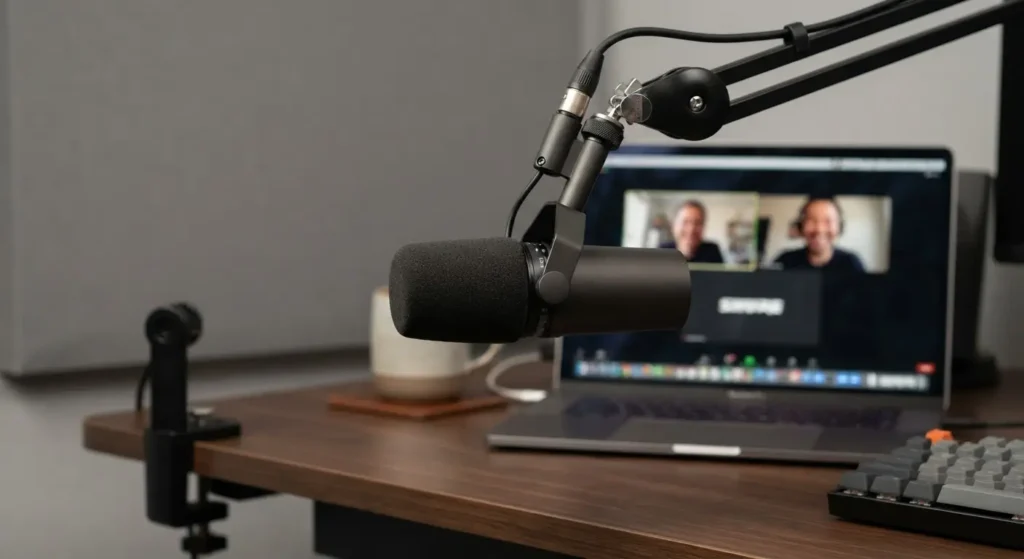
Shure MV7+ is the microphone reviewers keep landing on as the top pick this year. It is a dynamic mic, which means it focuses on your voice and rejects room noise better than a condenser mic does. It connects over USB-C and XLR, so you can start simple and add an audio interface later if you get serious about your setup. The trade-off is price: it sits at the premium end.
RØDE PodMic USB is the value pick. It includes a built-in pop filter and internal shock mount, features that usually cost extra on other mics, and it delivers a warm, close-up tone that sounds polished on calls and recordings alike.
Audio-Technica ATR2100x-USB is the budget-friendly workhorse. It is a dynamic mic with USB-C and XLR output, and testers have recorded clean audio with a fan running nearby in the same room. It will not win a mastering award, but for daily video calls it is more than enough.
When a dynamic mic beats a condenser mic: if your home office is untreated (bare walls, hardwood floor, no rug), pick a dynamic mic like the MV7+ or the ATR2100x. Dynamic mics hear less of the room. Condenser mics like the Blue Yeti sound richer but pick up every keyboard click, HVAC hum, and passing car if your room is not treated.
Real Scenario: The Freelancer Who Fixed Her Client Calls
A freelance consultant kept losing time re-explaining herself on client calls because her laptop mic picked up her upstairs neighbor’s footsteps and her own keyboard typing. She switched to a $99 dynamic USB microphone on a boom arm and did nothing else: same room, same laptop, same internet connection. Her next call recording, run through an AI transcription tool, needed zero manual corrections. The only variable that changed was the microphone.
That is the whole case for buying a real mic. It is the cheapest fix with the biggest visible result.
Step 2: Choose Your Headphones or Headset
Once your microphone is sorted, headphones decide two things: how well you hear the other person, and how much background noise you block out while you work.
Best Headphones and Headsets for Remote Work in 2026
Sony WH-1000XM6 leads most 2026 comparisons for overall noise cancellation and sound quality, and it now includes an AI-assisted call microphone array built to isolate your voice on calls, not just for music.
Bose QuietComfort Ultra (2nd Gen) trades a small amount of raw noise cancellation for better comfort during long wear, and testers consistently rate it ahead of Sony for voice clarity on calls specifically. If your day is back-to-back meetings, this is the safer pick.
Jabra Evolve2 65 is built for calls first. It uses a multi-microphone array with speech enhancement that filters out keyboard noise and paper shuffling, plus a physical mute button with a visible LED so people in the room know when you are live. If your job is mostly meetings rather than music, a call-first headset like this one usually beats a music-first headphone with a bolted-on mic.
Anker Soundcore Q45 (or Life Q30) is the budget option, and it is a legitimate one. It delivers real active noise cancellation for a fraction of the price of the flagship picks, which makes it a sensible starting point if you are not ready to spend $300 on headphones.
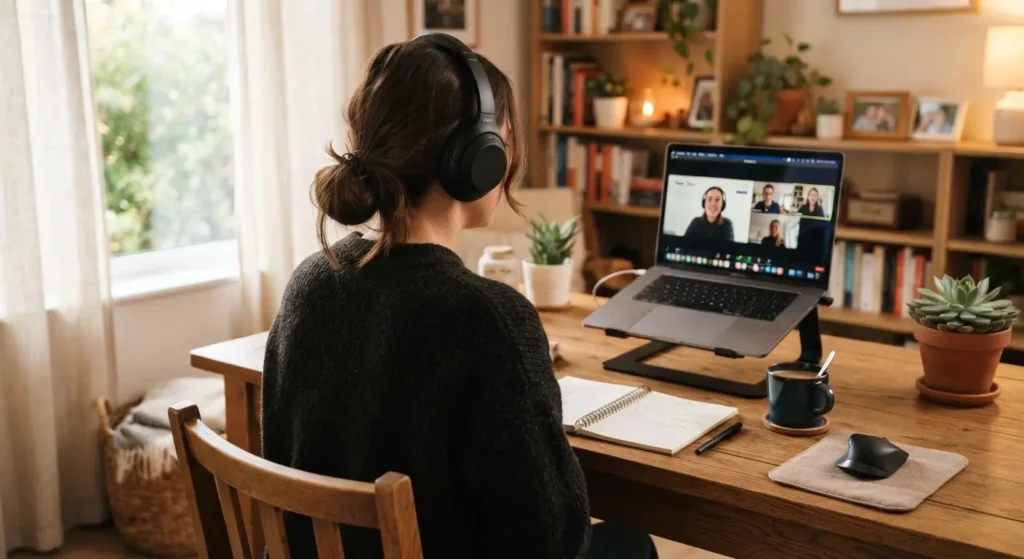
How to choose between the two categories: if calls make up most of your day, buy a dedicated headset with a boom mic. If focused solo work and music make up most of your day and calls are occasional, buy noise-cancelling over-ear headphones instead. Trying to make one category do both jobs is where most people end up disappointed.
Step 3: Add a Speakerphone for Group Calls
If you host calls with more than one person in your home office, or you regularly join a call without wanting headphones on your head all day, a dedicated speakerphone solves a different problem than a headset does.
The Dell Pro Desktop Speakerphone SP3022 is a good example of the category: it is Microsoft Teams-certified, plug-and-play over USB, and priced under $80, which makes it an easy addition next to a laptop dock. Speakerphones like this use multiple microphones and echo cancellation to pick up voices around a small room, so two or three people can join one call from the same desk without passing a laptop back and forth.
Skip a speakerphone if you almost always call alone. It solves a group-room problem, not a solo-desk problem.
Step 4: Consider Desktop Speakers for Music and Focus Time
Not every hour at your desk is a call. Desktop speakers matter for background music, podcasts during deep work, and the general feel of your space.
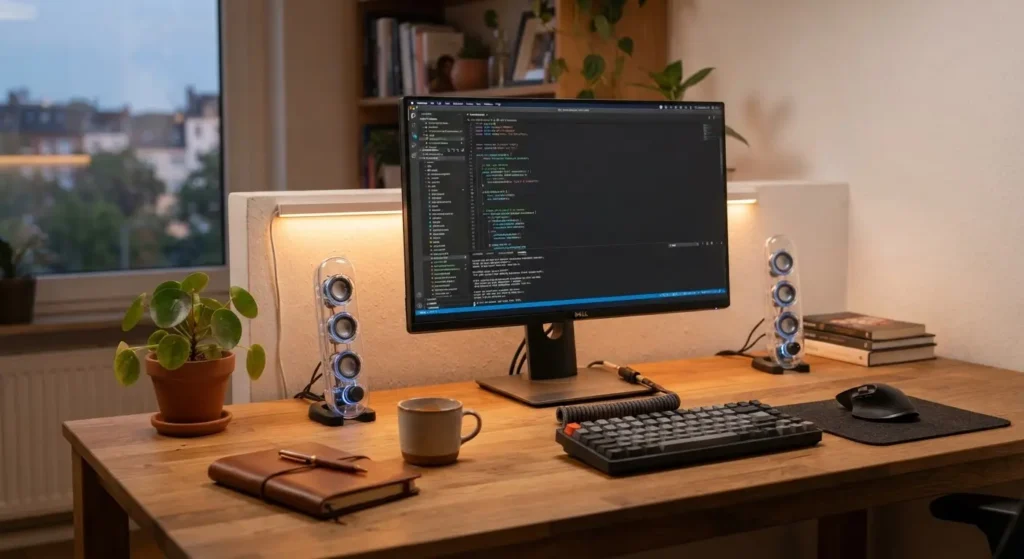
The Harman Kardon SoundSticks 5 updates a design first released in 2000, with the same transparent look and a refreshed driver for clearer sound. The Onkyo Muse Y-40 is a compact option built for smaller rooms and apartments, easy to set up without extra cabling. Neither is required for a functional home office, but both are worth it if music genuinely helps you focus.
Top Audio Gadgets for Your Home Office (Quick Comparison)
| Gadget | Best For | Starting Price |
| Shure MV7+ | Best overall call and recording mic | Premium |
| RØDE PodMic USB | Best value USB microphone | Mid-range |
| ATR2100x-USB | Budget dynamic microphone | Budget |
| Sony WH-1000XM6 | Best overall ANC headphones | Premium |
| Bose QuietComfort Ultra | Best comfort and call clarity | Premium |
| Jabra Evolve2 65 | Best dedicated call headset | Mid-range |
| Anker Soundcore Q45 | Budget noise-cancelling headphones | Budget |
| Dell Pro Speakerphone SP3022 | Group calls at a shared desk | Under $80 |
Frequently Asked Questions
Do I need both a microphone and a headset? No. Pick one primary input for calls. If you use a standalone USB microphone, plug regular headphones or earbuds into your laptop for output. If you use a headset with a boom mic, it already covers both jobs. Buying both and running them at once usually causes echo or driver conflicts.
Is a condenser or dynamic microphone better for a home office? A dynamic microphone is the safer default for most home offices, because it picks up less of the room around you. Choose a condenser microphone only if your room has some acoustic treatment, like a rug, curtains, or a bookshelf, and you want a richer, more detailed sound.
Will noise-cancelling headphones affect how I sound on calls? No, active noise cancellation affects what you hear, not what your microphone sends out. Your voice quality on a call depends on the headset’s microphone, not on whether ANC is turned on.
Can I use gaming headphones for work calls? Yes, as a budget stand-in. Gaming headsets like the SteelSeries Arctis Nova 7 offer solid microphone quality and comfort for long sessions. They are not purpose-built for office use, so features like automatic Teams or Zoom certification are usually missing.
How much should I budget for a full home office audio setup? A functional setup, one decent USB microphone plus budget noise-cancelling headphones, costs under $200 total. A premium setup with a flagship microphone, flagship headphones, and a speakerphone can run $500 to $700. Start with the microphone, since it gives the biggest improvement for the smallest spend.
Do I need acoustic treatment in my room, or is a good microphone enough? A good dynamic microphone solves most problems in an average home office. If you record for hours daily or your room has hard floors and bare walls with noticeable echo, a rug, curtains, and a bookshelf will help more than any additional gear purchase.
Final Takeaways
Start with the microphone. It is the single upgrade that changes how you sound on every call you take, and it costs less than most people expect. Add headphones or a headset based on whether your day is mostly meetings or mostly focused solo work. Only add a speakerphone if multiple people share your desk for calls, and only add desktop speakers if music genuinely helps you get work done.
You do not need every gadget on this list. You need the two or three that match how you actually spend your day, bought once, set up properly, and left alone.
Further Reading